
Guest services · Module 16
Photo View
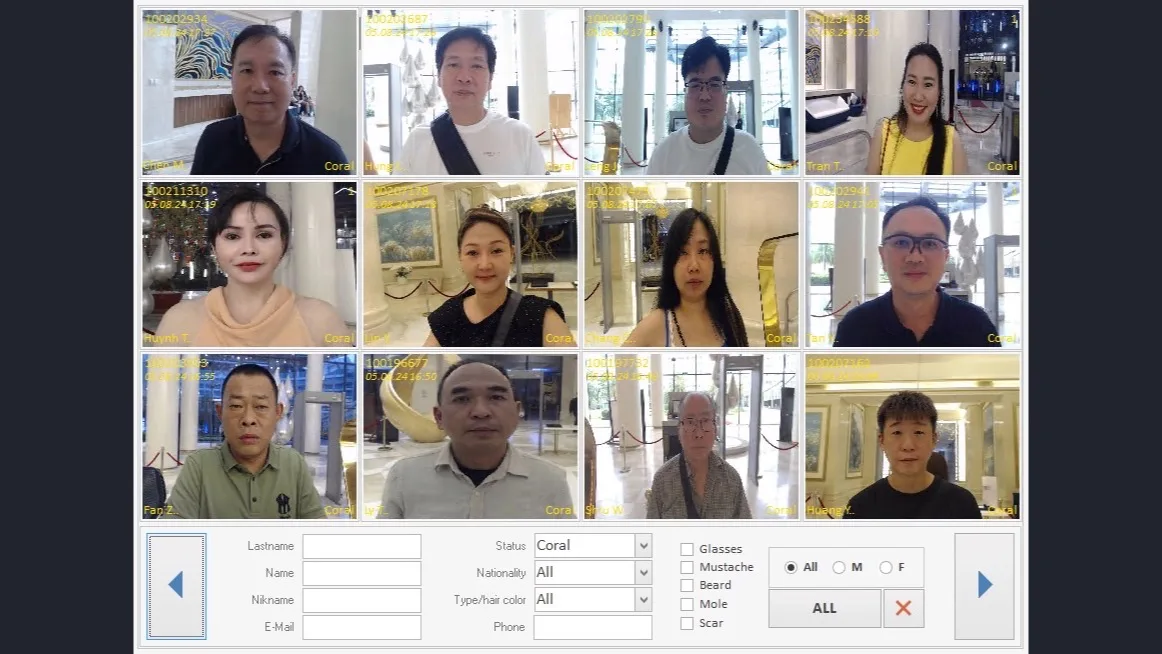
Find a visitor visually using a photograph and attribute filters, then open their guest record.
Overview
What this module does
Photo View provides a visual way to search the guest database. Staff can narrow the displayed photographs with filters based on available visitor attributes.
When the correct visitor is identified, the module links to Player Details for the underlying personal record and visit information. It complements reception’s stored guest photographs and is intended to support identification workflows.
Key functions
- Photograph-based visual search
- Filters by available visitor attributes
- Open the selected person in Player Details
- Uses guest images stored in the visitor record
Connected workflow
How it fits into Everest
Reception creates and maintains the visitor record and photograph. Photo View helps locate a record; Player Details provides the broader visitor and gaming history.