Everest by iqlab
Player services · Module 08

Promotions

Define promotional eligibility rules and identify visitors whose recorded play meets them.

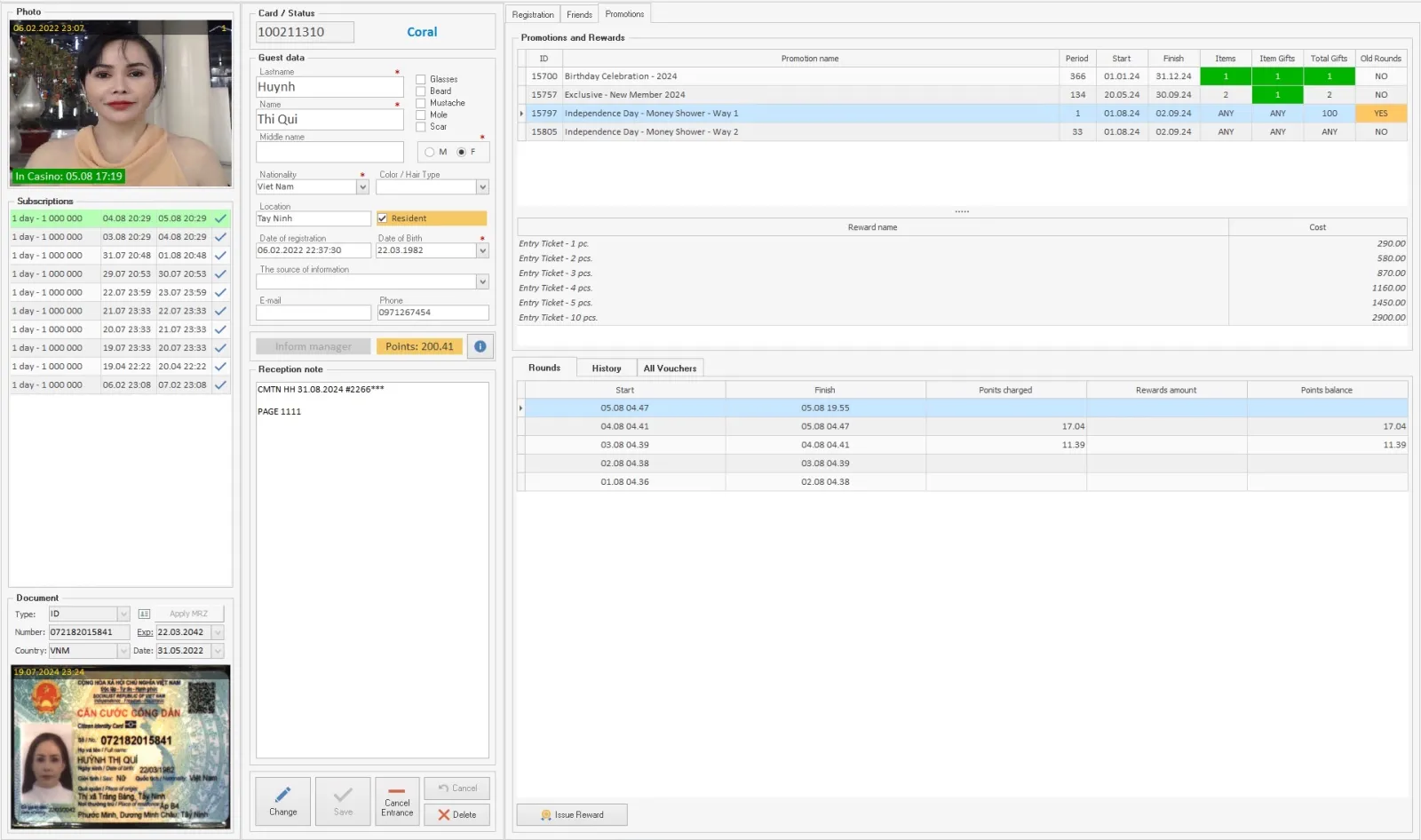
Promotions interface example from Everest materials
Everest interface example · system materials
Overview

What this module does

Promotions manages campaigns based on a visitor’s gaming activity and earned points. Each campaign can use configured restrictions and criteria such as amount, hall or game.

The system can track activity against campaign conditions and let staff identify and reward visitors who qualify. This is a rule-based promotion workflow: the conditions are configured, the recorded play is evaluated, and qualifying guests can receive the configured reward.

Key functions
  • Campaign rules and restrictions
  • Criteria by amount, hall or game
  • Player activity and earned-points eligibility
  • Review of qualifying visitors
  • Awarding configured promotions and rewards
Inside this module

Promotion and bonus tools

Campaign conditions

Configure eligibility criteria such as amount, gaming hall or game, then review visitors whose recorded activity qualifies.

Bonus System

Operate electronic bonus displays and configure jackpot contribution and payout settings. The PDF says the number of jackpots can be set as required and that contribution and payout percentages can be configured in Manager. It also describes a dynamic odometer for the current jackpot amount and promotional information on the display. Actual operation depends on the installed bonus-system components and the casino’s configuration.

Read the detailed description

Rewards

Identify qualifying visitors and award the configured promotion or reward according to casino rules.

Screens & operations

How a promotion is organised

Promotion list

  • Status: active, upcoming or finished
  • Period for earning and period for printing
  • Round length in days
  • Maximum gifts across the whole promotion
  • Internal description for staff
  • Finished promotions shown or hidden

Rounds

  • Repeating promotions split into equal intervals
  • Earning and printing kept inside each round
  • End of gift issuing, which may fall after the promotion ends
  • Earned, used and remaining promotion units
  • Finished rounds printable only with administrative access

Gifts and tickets

  • Gifts priced in promotion units, such as points or visits
  • Gifts with no price, granted by a rule
  • Tickets available and tickets issued
  • Maximum tickets for one gift
  • Limit on tickets per print run
  • Gift acting as a voucher for a promo ticket

Rules for gifts with no price

  • Date of birth
  • A visit on a particular day
  • Age
  • Gender
  • Member group
  • Unconditional, available to every participant

Checks made before a ticket prints

  • The promotion has not started yet
  • The promotion or the round has finished
  • The promotion conditions are not met
  • The maximum for the whole promotion is exceeded
  • The maximum for one gift is exceeded
  • No tickets are available for the selected gift
  • No tickets are available to print

Issuing history

  • Gift name and price in promotion units
  • Amount written off against the guest's balance
  • Date of issue
  • Member of staff who issued the gift
  • Records removed with administrative access

Ticket layout

  • Promotion name and gift name
  • Fixed text
  • Date and time of printing
  • Ticket sequence number
  • Member card number and status
  • Guest name and date of birth
  • Passport number
  • Member of staff
  • ITF 2/5 barcode of the ticket identifier
  • Four font sizes and three alignments

Settings

  • Name, description, start and end
  • Round length
  • Promotion day by exact time or by gaming day
  • Maximum tickets for the promotion
  • Printing all gifts at once allowed or not
  • Shown in the mobile application
  • Gift price and balance write-off
  • Guest statuses eligible for the gift

Named from the Everest system materials. The screens and operations present in a given casino depend on the installed modules, assigned roles and local operating procedures.

Connected workflow

How it fits into Everest

Promotions uses player activity and point information supplied by the wider system. A separate points-accounting workflow records account credits and debits; the configured campaign determines which activity qualifies for a reward.