Open and close a table
Record the opening float and use the documented Opener / Closer procedures as a table begins or ends operation.

Record table openings, checks, fills, credits, dropbox activity and game results at the gaming table.
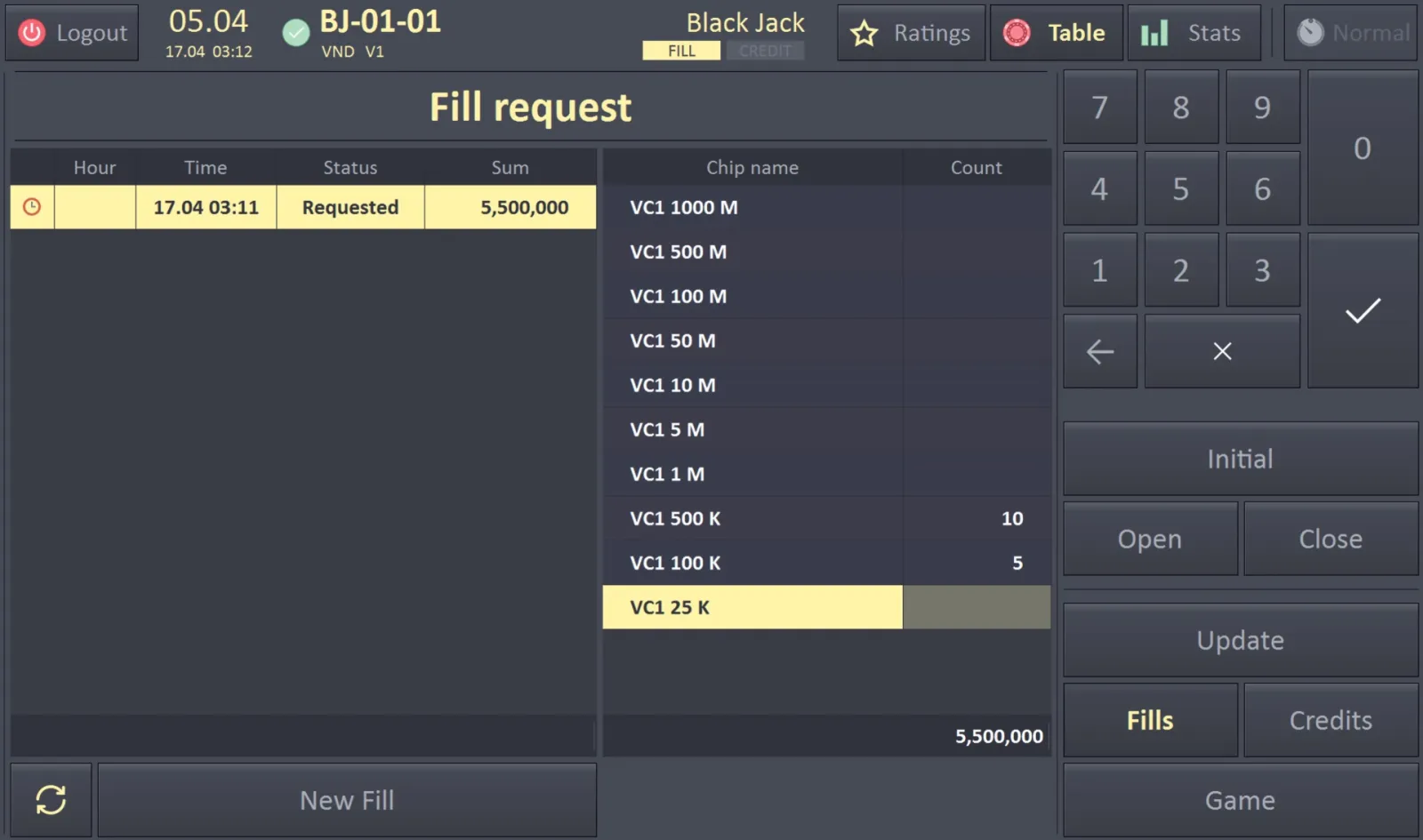
The Inspector is the table-side workspace for recording table state and player activity. It supports the operational steps that later appear in Table Tracking and player-session views.
Staff can open a table, update its check float, register Dropbox In, Chips In / Out, rolling, minimum / average / maximum bets, game pace and participation rate, and record results. The Inspector can request a fill or credit from the Cash Desk, then confirm that chips or a chip box have been received. It can also manage dropbox status. The source describes personal contactless staff cards and PIN codes for quick dealer and Inspector authorization, plus Opener / Closer procedures. The Everest Black deck describes this module as running on a compact computer at the gaming table.
Record the opening float and use the documented Opener / Closer procedures as a table begins or ends operation.
Enter check floats, dropbox activity, chips in and out, rolling, game pace and participation details.
Request value from Cash Desk, confirm the delivery of chips or return of chips in a credit operation, and pass confirmed records to Table Tracking.
The materials describe personal contactless staff cards and PIN codes for dealer and Inspector authorization at the table.
Named from the Everest system materials. The screens and operations present in a given casino depend on the installed modules, assigned roles and local operating procedures.
A fill request goes from Inspector to Cash Desk; after delivery, the Inspector confirms it. A credit follows the same request-and-confirm pattern, with the cashier sending an empty chip box and the Inspector returning chips. Confirmed entries feed Table Tracking.