
Everest by iqlab
Casino operations · Module 02

Cash Desk

Record cashier transactions across cash, chips, tickets, deposits and table service.

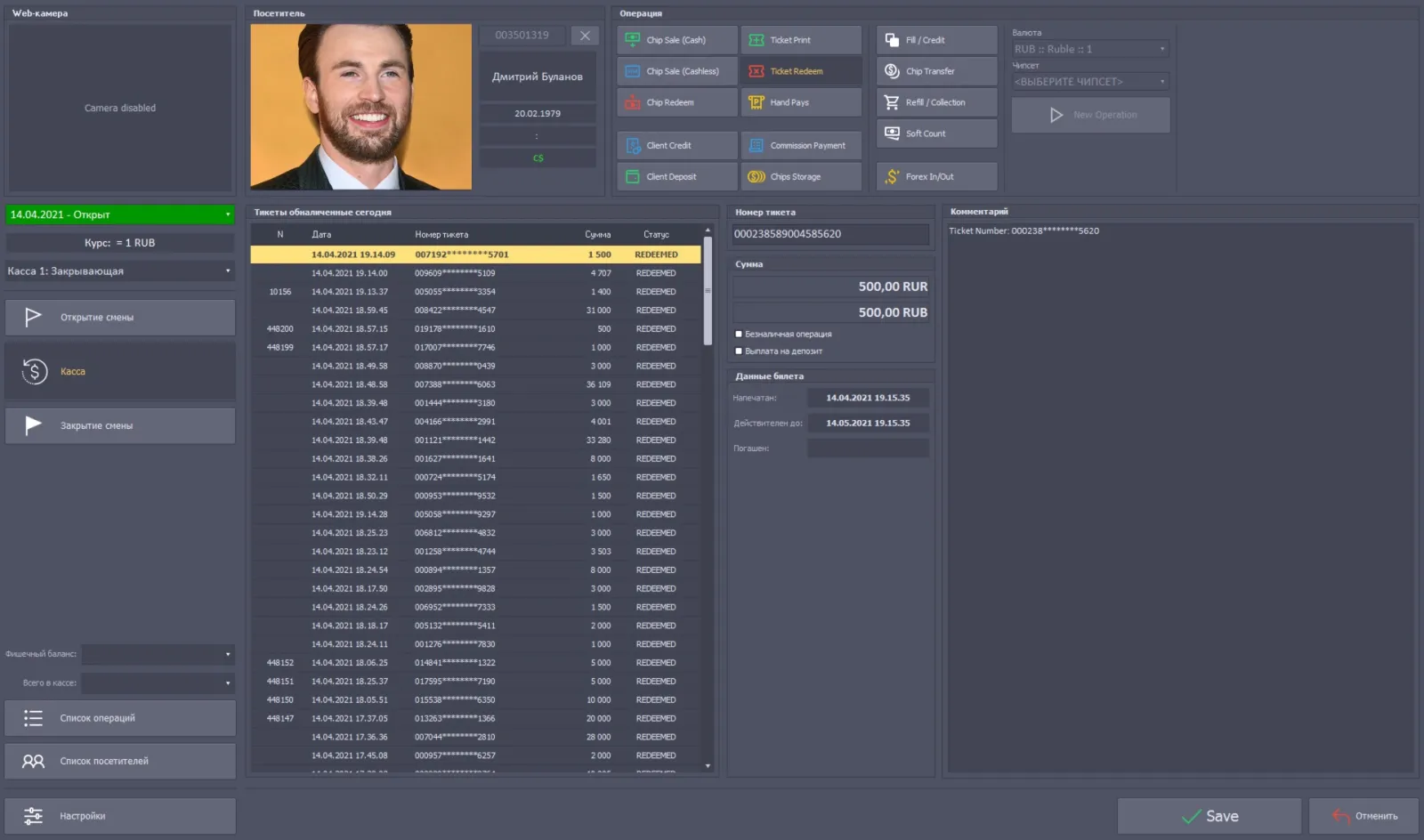
Cash Desk interface example from Everest materials
Everest interface example · system materials
Overview

What this module does

The cash desk records movements of cash and chips and connects cashier work with player records, ticketing, table operations and rolling or junket programs. It supports multi-currency casino operations.

Cashiers can sell chips in different currencies using an accepted currency or a guest’s deposit, sell TITO tickets, pay winnings, take deposits and exchange currencies. Chip and TITO exchanges can be settled in another currency or credited to a deposit. At a gaming table, chips are sold in that table’s configured currency. Cash-desk functions also include client credit operations, table fills and credits, opening and closing a cashier station, balancing, grant controls and soft-count workflows described in the system materials.

Key functions
  • Cash In and Cash Out, chip sales and winnings payouts
  • Multi-currency exchange and guest deposits
  • TITO ticket sale and redemption
  • Table fill and credit requests
  • Cash-desk opening, closing and balancing
  • Rolling and junket cashier operations
Inside this module

Connected cashier functions

TITO ticketing

Move value between connected slot machines and cashier operations using validated tickets. The materials describe cash, cashless and deposit ticket-in and ticket-out, handpays and promotional tickets. A ticket can be validated during payment processing, adding a control to redemption. The ticket workflow is intended to make pay-in and pay-out convenient and faster, reduce manual handling errors and reduce the amount of cash that must be collected from machine stackers. Exact flows depend on connected machine and payment configuration.

Read the detailed description

VIP Rolling & Junket

Organize premium rolling programs and junket groups with multi-level sessions and financial tracking. The documented workflow covers initial buy-in, cage rolling, table rolling, advances and commissions, return of non-negotiable chips and settlement with players. The module is closely connected to Cash Desk and Inspector so the relevant cashier and table operations can be recorded as the program proceeds.

Read the detailed description

Table fills and credits

Process requests from Table Inspector: dispatch chips for a fill or an empty chip box for a credit, then record the Inspector’s confirmation.

Screens & operations

Cashier operations recorded in the module

Opening

  • Shift opening
  • Gaming tables
  • Cage windows

Cash and tickets

  • Cash In
  • Cash In (cashless)
  • Cash Out
  • Ticket Print
  • Ticket Redeem
  • Handpays
  • Promo-tickets and markers

Credit and rolling

  • Credit issuance in chips
  • Credit return in chips
  • Credit return in money
  • Rolling commission payment
  • Rolling commission return

Chips, currency and deposits

  • Chips transfer in
  • Chips transfer out
  • Chips storage acceptance
  • Chips storage withdrawal
  • Currency exchange in and out
  • Deposit in
  • Deposit out

Collection and counting

  • Softcount, the dropbox collection
  • Replenishment
  • Collection
  • Transaction list

Closing

  • Gaming tables
  • Cage windows
  • Gaming-table result
  • Shift closing

Settings

  • Cage-window floats
  • Gaming-table floats
  • Chips and chipsets
  • Gaming tables
  • Cage windows

Named from the Everest system materials. The screens and operations present in a given casino depend on the installed modules, assigned roles and local operating procedures.

Connected workflow

How it fits into Everest

Table fills and credits begin as requests in the Inspector workflow. The cashier handles the request and dispatches chips or a chip box; the Inspector confirms receipt so the completed operation can flow into Table Tracking. Cashier transactions also feed the player’s cash result.