Gaming and player reports
Review guest records, player activity, gaming sessions, table results and slot activity.

Review operational records and analysis from player, cashier, table and slot workflows.
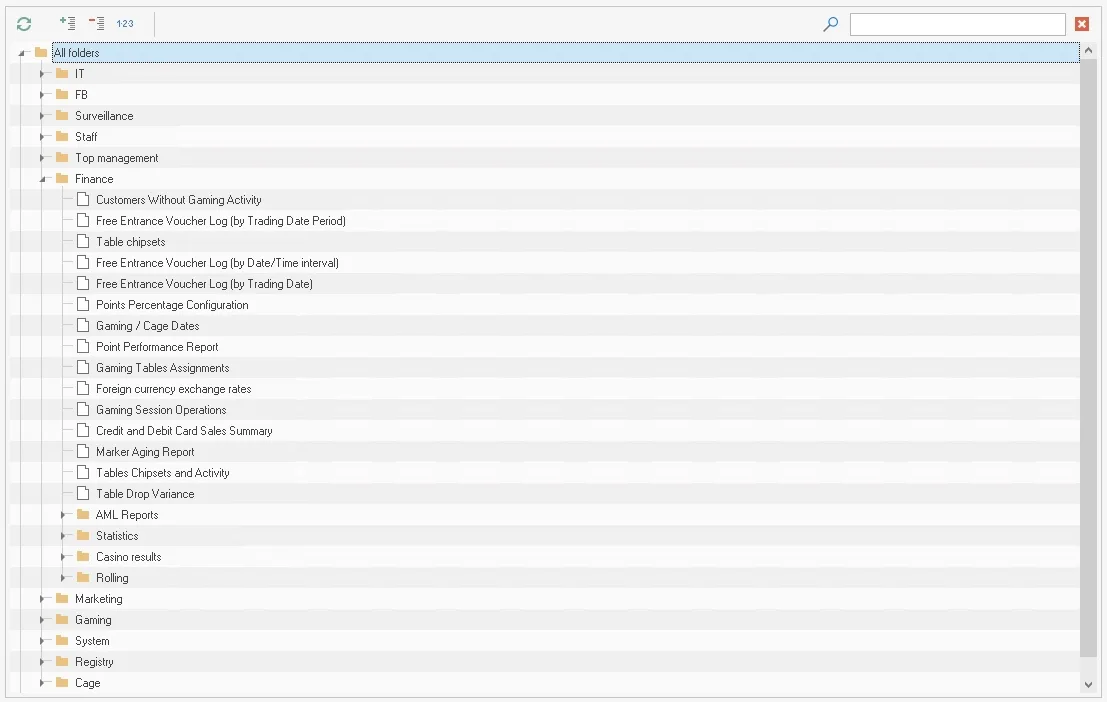
Reports provide a way to examine information recorded across Everest modules. The materials describe detailed analysis for the guest database, player operations, table and slot activity, cashier workflows and other departments.
Reports are organized as a hierarchy of folders containing reports so users can find the needed item. The source says the list is continually expanded and includes reports for gaming, cash, marketing, finance and other departments. A report can be printed or exported to common file formats. Player Tracking and table or slot views support review by visitor, hall, currency, time, pit and game where those data are available.
Review guest records, player activity, gaming sessions, table results and slot activity.
Examine cashier activity, transfers, balances and financial summaries recorded by connected modules.
Review visitor, promotion and points-account information available to the user’s role.
The system materials describe reports organized in folders and available for printing or export to common file formats.
Reports use the records entered or received by the operational modules. Complete, timely source data—especially table checks and confirmed transactions—is needed for dependable totals and analysis.